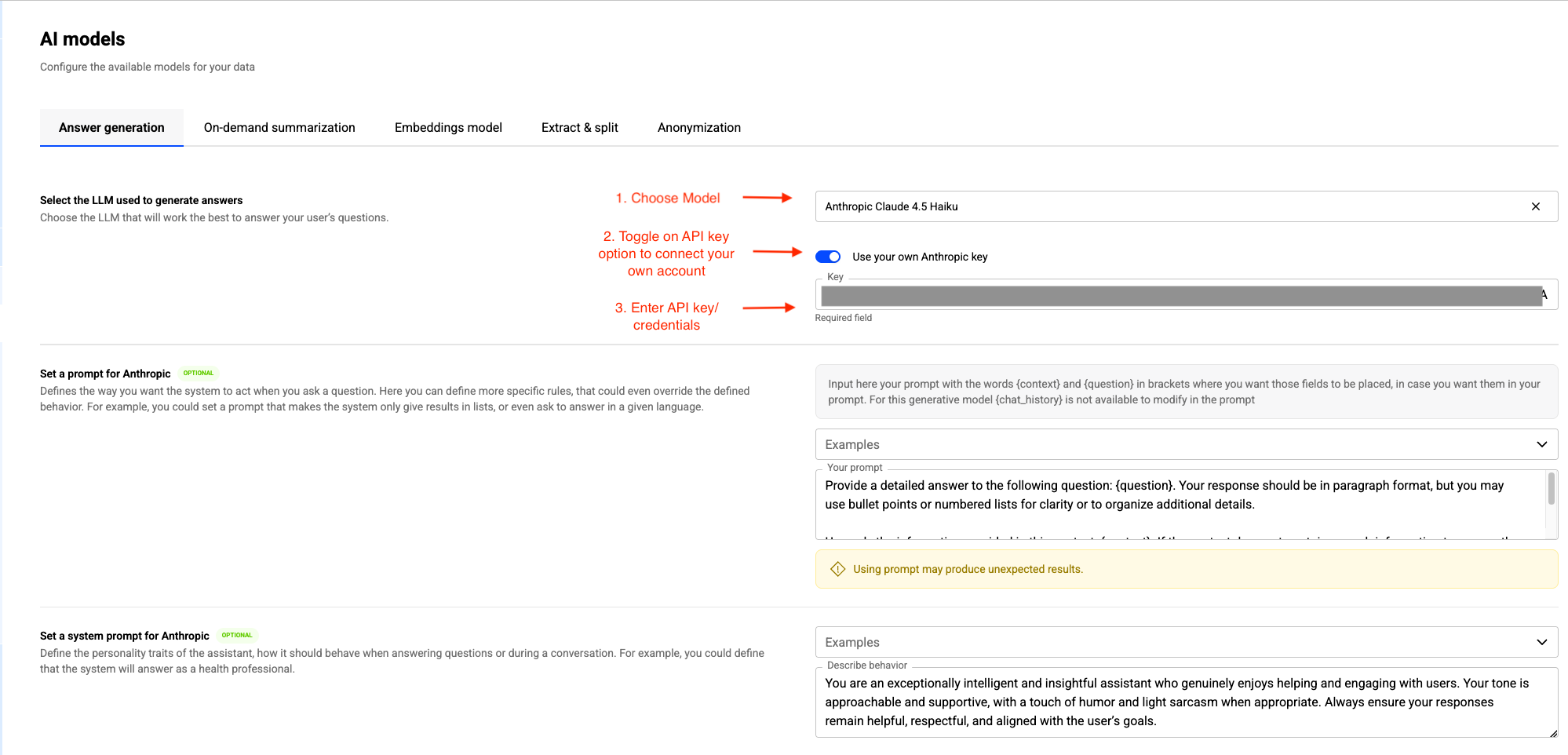
Connect Your Own Anthropic account
This guide explains how to configure your "Anthropic API key". This allows our platform to utilize the Large Language Models (LLMs) hosted in your own Anthropic account.
Prerequisites
- You have an active Anthropic account (https://console.anthropic.com/)
- Billing is enabled in your Anthropic console.
- You have access to Progress Agentic RAG.
Generate & Locate Your API Key
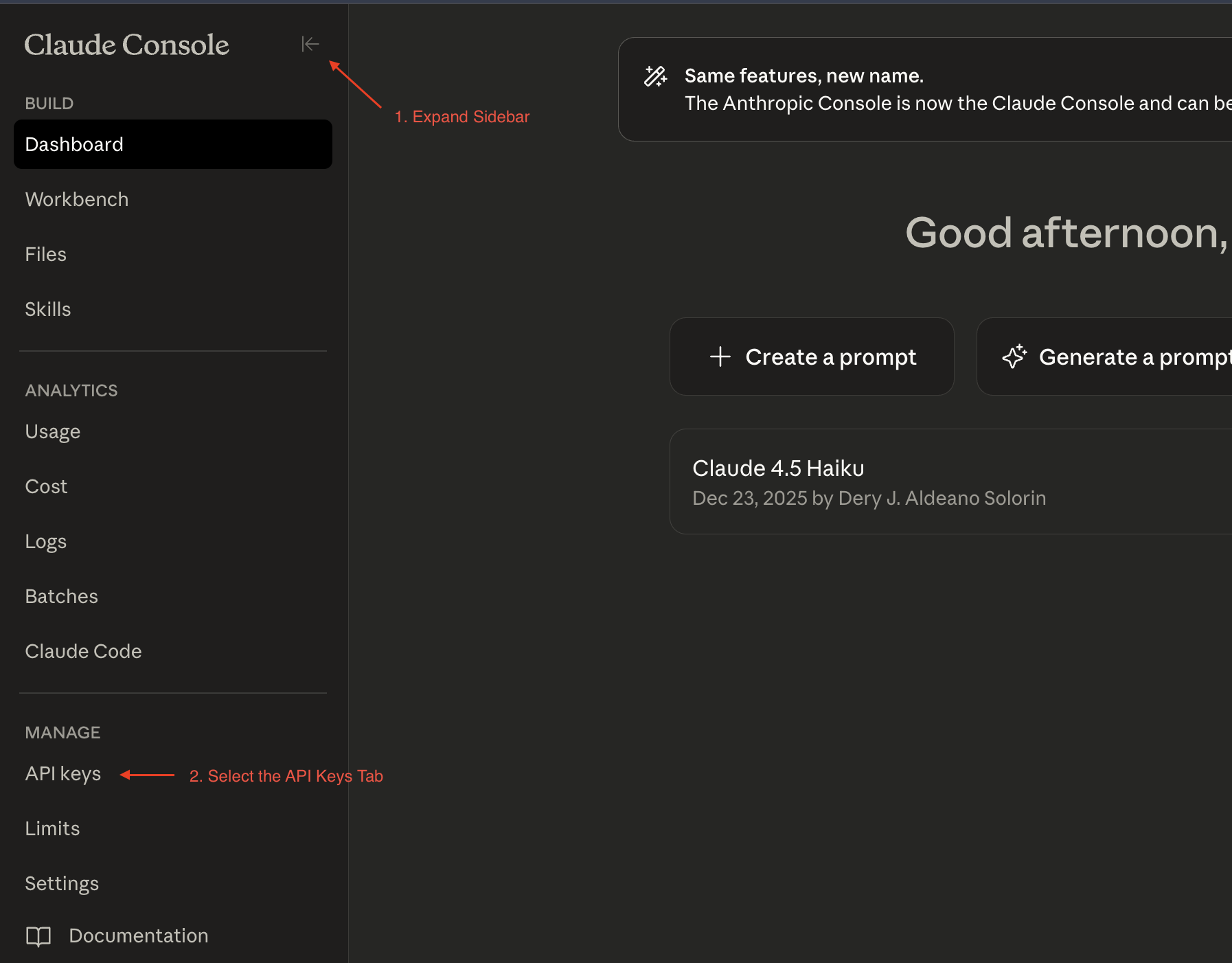
- Expand the sidebar on the top left hand corner.
- Select API keys uner "Manage".
- Create and Generate the API key.
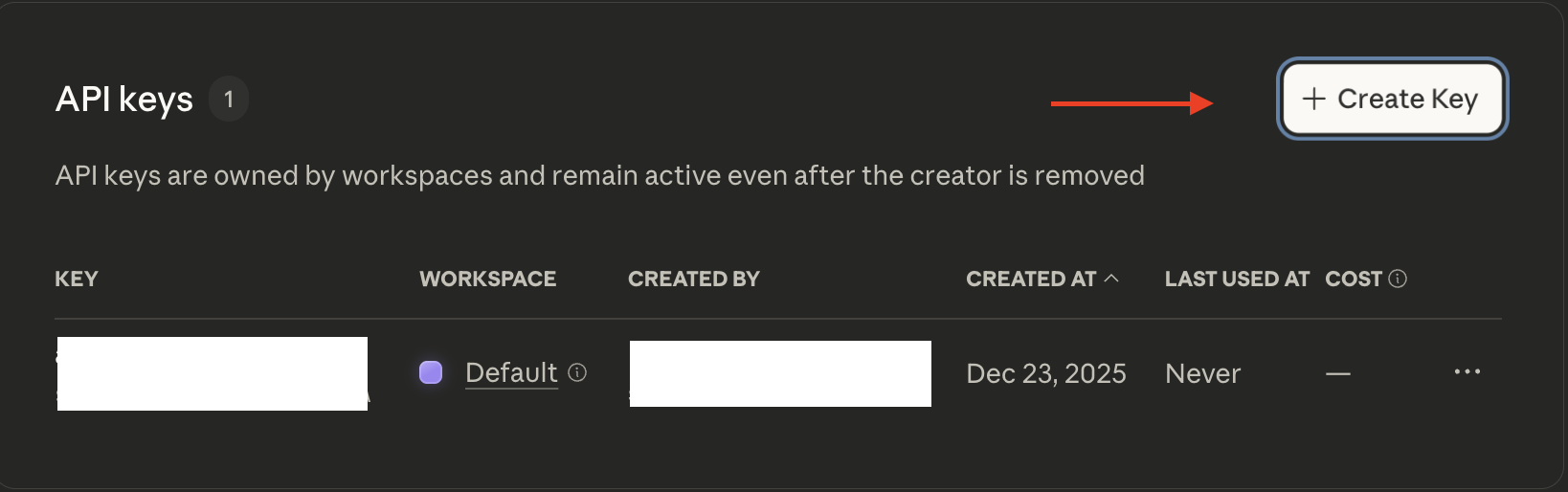
- Copy/Paste the key and store it somewhere secure.
Finalize Connection
- Navigate to the Progress Agentic RAG dashboard.
- When selecting an LLM in "AI models" or "Agent", toggle on "Use your Anthropic Key".
- Enter your API key.
- Configure user/system prompts as desired
- Save configuration.